Partner
REDEMPTION, Christian Oh's own brand
Christian Oh, a property agent with JNA Investments, a team under JNA Real Estate. His own brand, REDEMPTION, runs its public calculators and its client decks on kaysera. Every screen here is a public page, or the agent's own working tool, photographed as it is.
§ 01
An agent's own brand
Fifteen calculators on one engine, a client profile entered once, and the deck generated from the same run. Built on kaysera, live and public.
Most advisors keep the maths to themselves. I'd rather you check it yourself: one calculator open to everyone, fourteen more sent by hand when you ask.
 Christian Oh Property agent with JNA Investments, a team under JNA Real Estate On redemption.sg
live
REDEMPTION redemption.sg
REDEMPTION is Christian Oh's own brand, as a property agent with JNA Investments, a team under JNA Real Estate. Its analysis lived in one spreadsheet, its client decks were screenshots pasted into Canva, and the rules under both lived in one person's head. Today they run on kaysera: fifteen calculators on one engine, one of them open to everyone, the client profile that feeds them, and the deck generator.
- 15
- calculators on one shared engine, one open to everyone
- 4
- regulators' rules encoded and dated: IRAS, MAS, CPF, HDB
- Nightly
- the published benchmark rate read again, so no page carries a stale figure
Counted on the calculator index at redemption.sg/tools, which names all four regulators and the fifteen. Checked 9 September 2026.

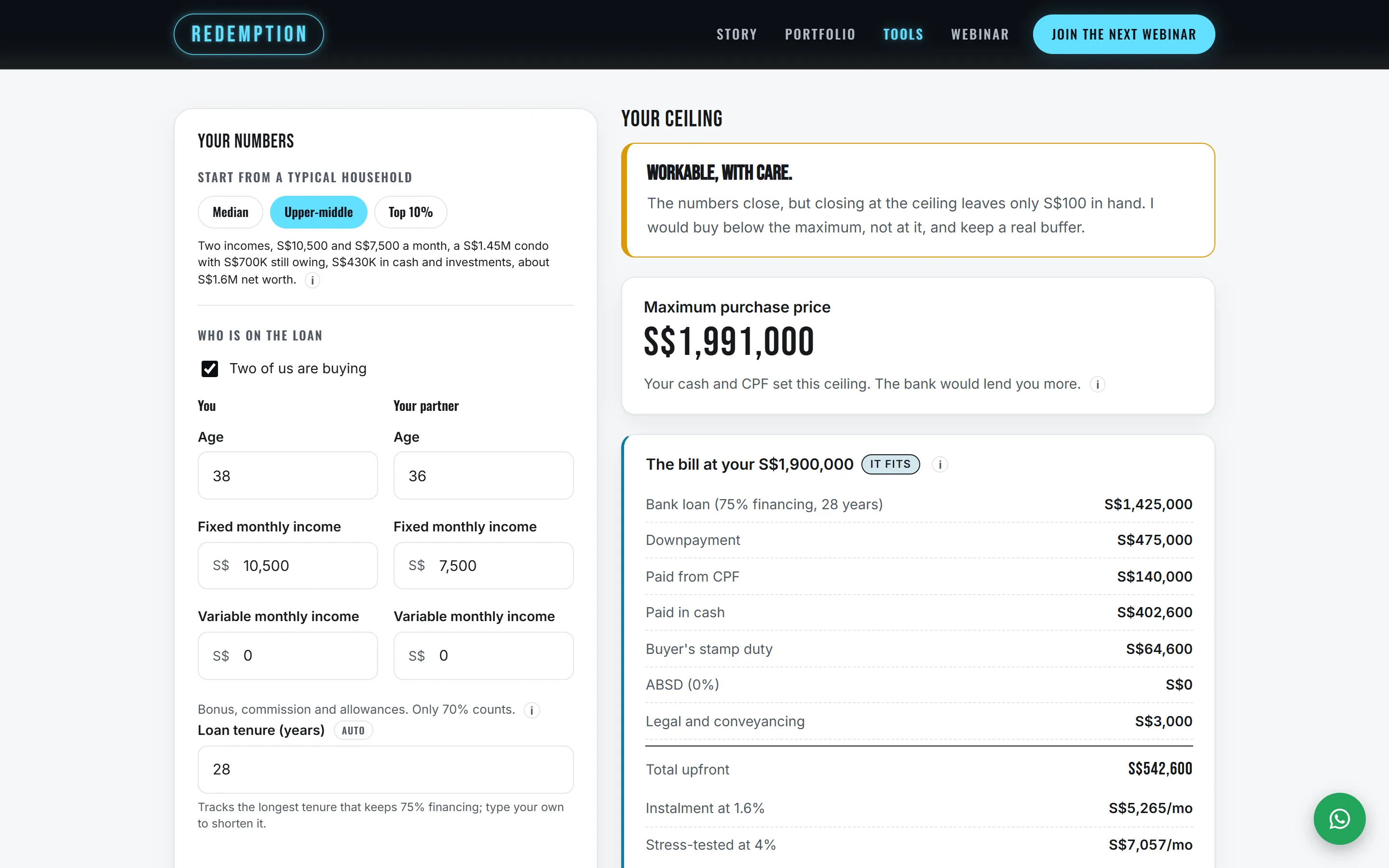
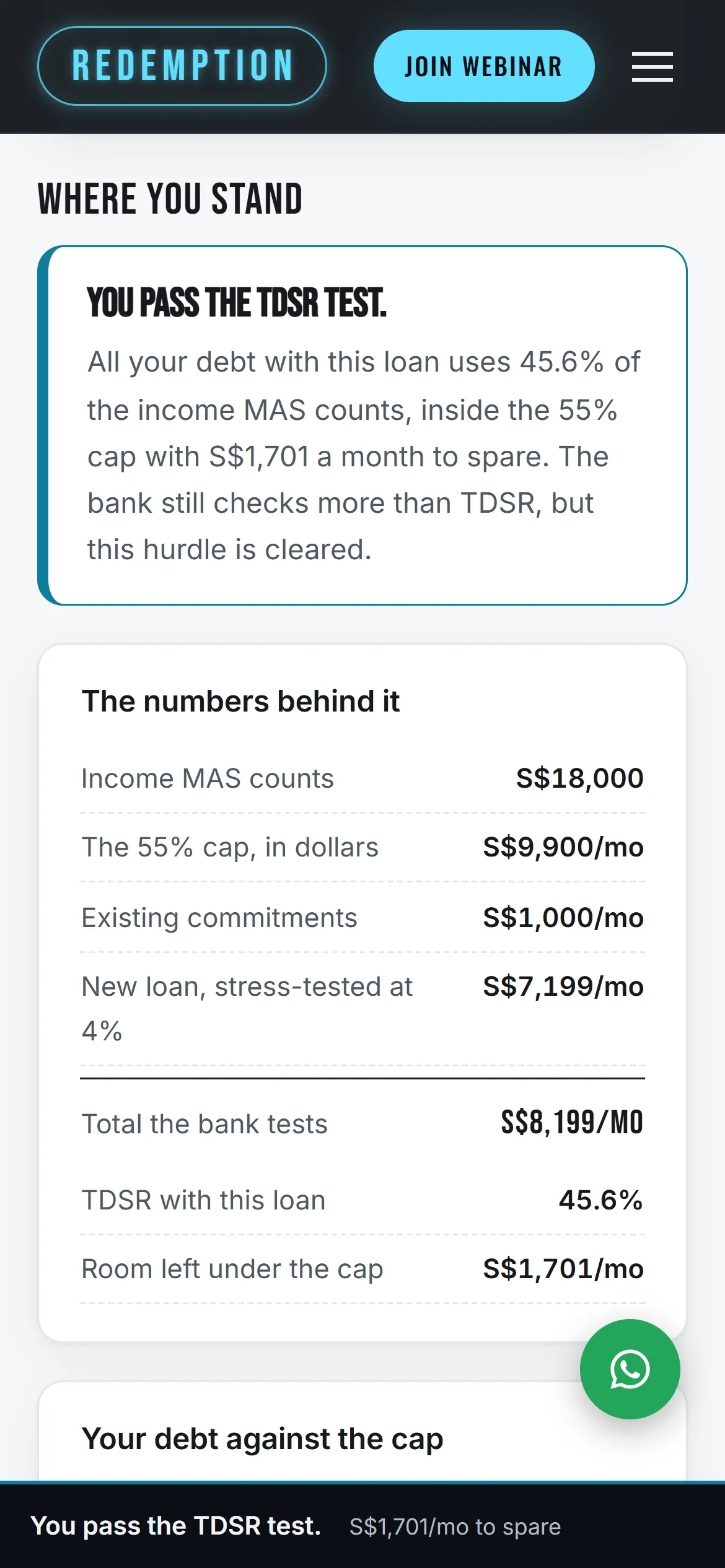
Fig. 1 · The public site
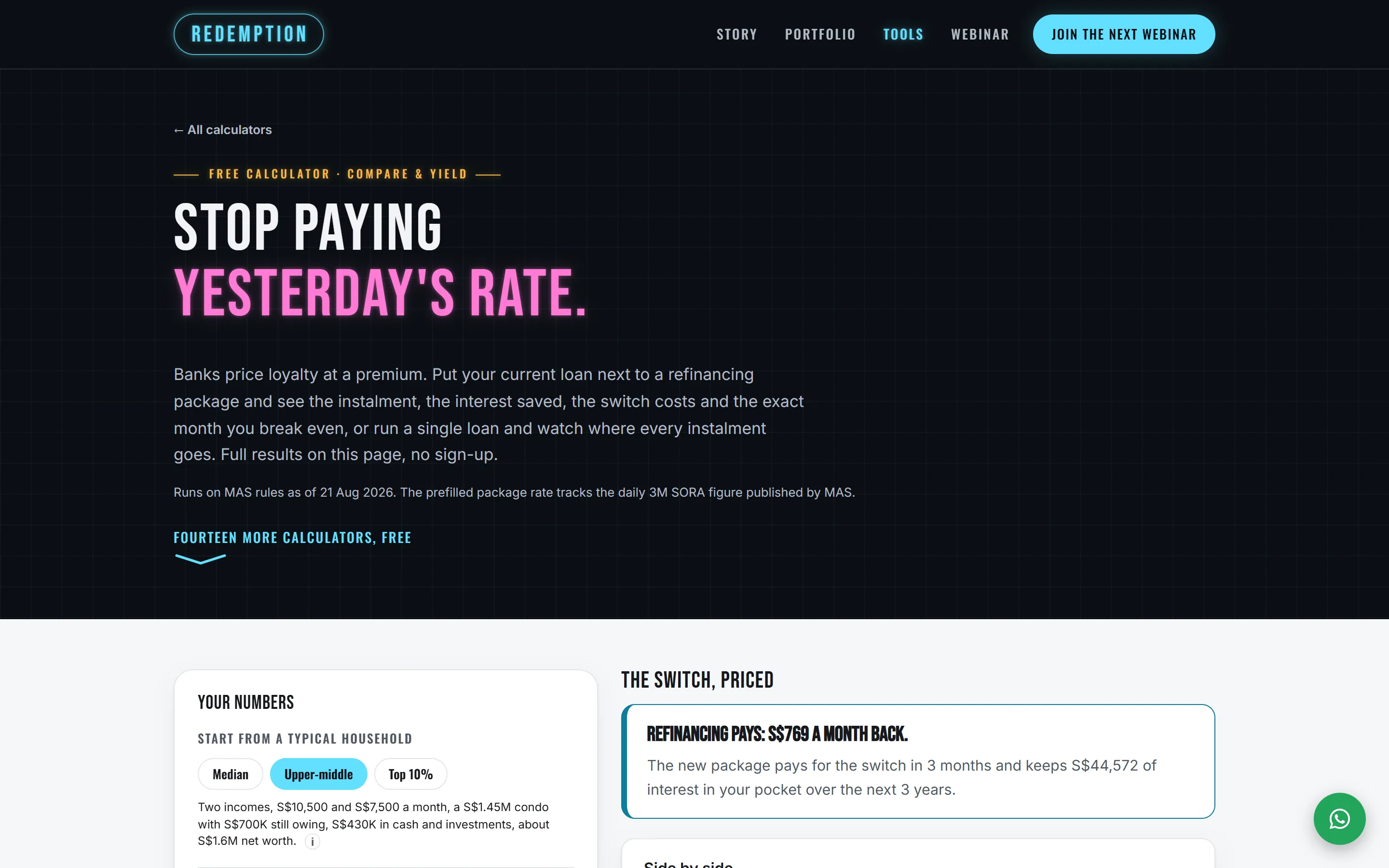
The calculator index, the affordability calculator's answer, and the TDSR check on a phone: tools the agent works a client's numbers through. All three are public pages of redemption.sg. The site opens one calculator from its navigation and sends the other fourteen by hand, so the frames here are shown and not linked.
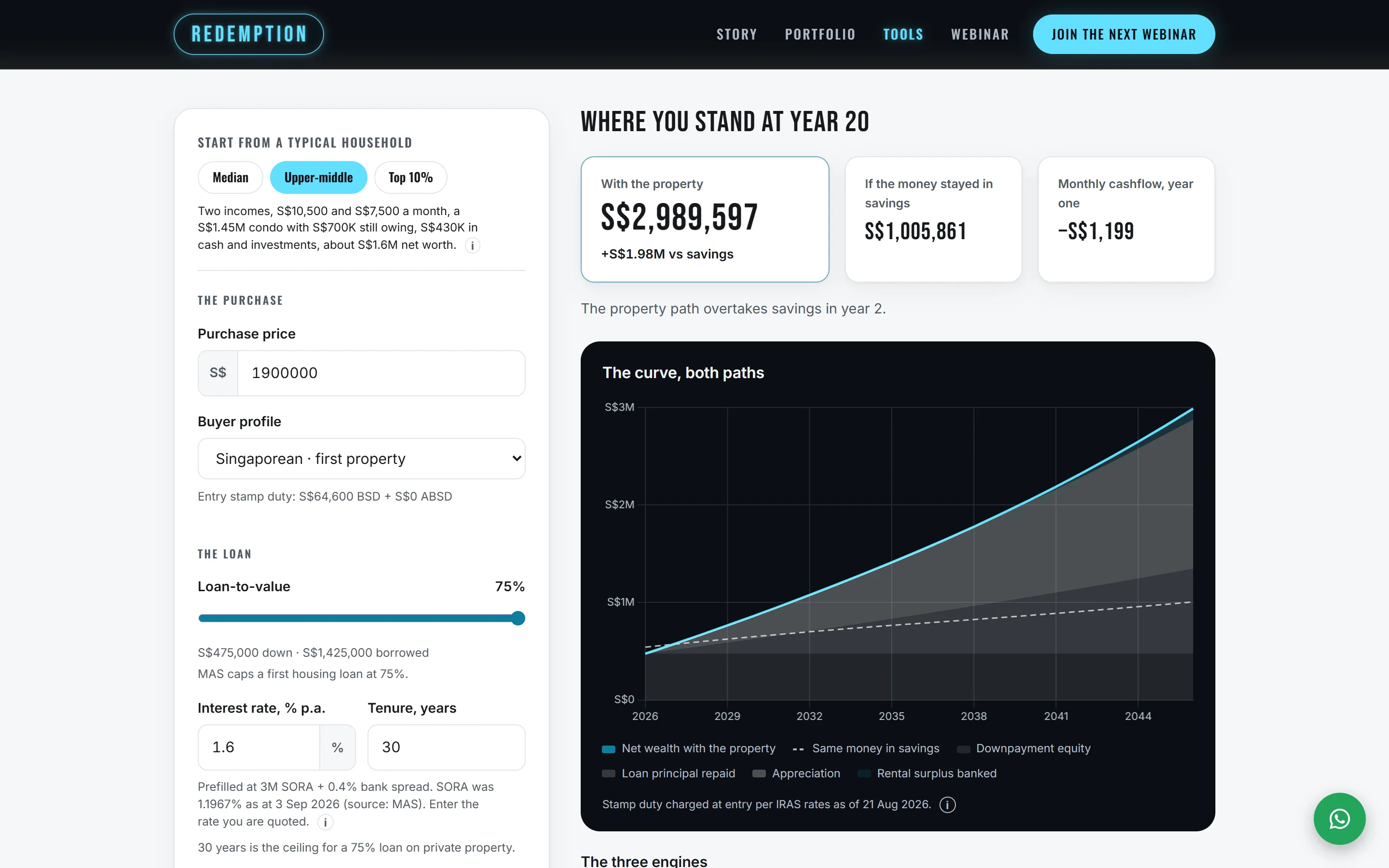
Fig. 2 · Public calculator
One of fifteen calculators, each its own page on the same engine. The inputs sit beside the position they produce, and both dated figures on this screen name their source: the interest rate is prefilled from the published SORA benchmark and read again every night, and the stamp duty carries the IRAS rates it was last checked against. It is a public page, so open it and change the numbers.
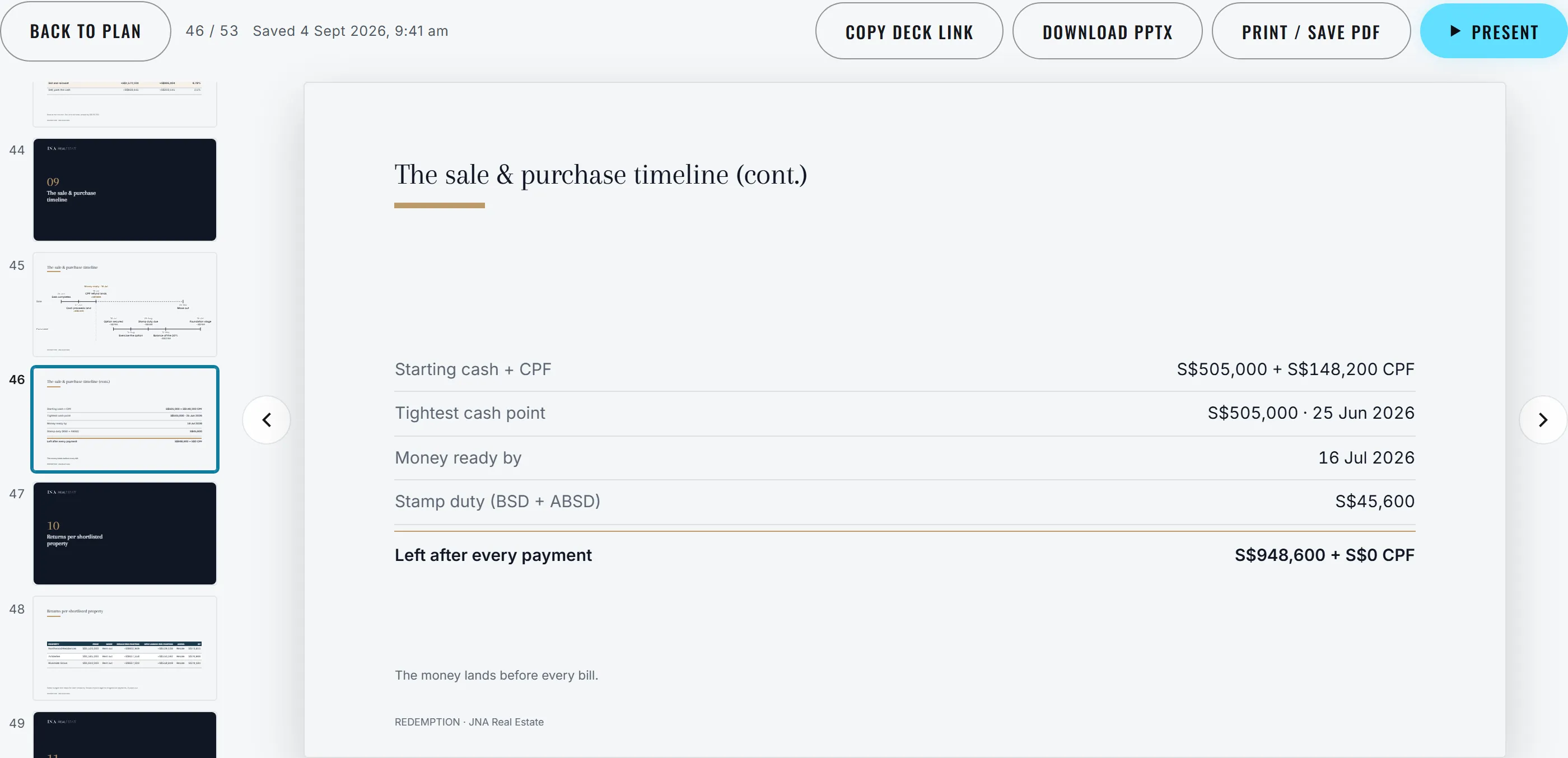
Fig. 3 · Client report
The planning tool takes a client's position once and carries it through every relevant calculation. This deck is generated from that single run, not assembled by hand, so no slide can disagree with the calculator behind it, and the same screen exports the file the client takes away. The plan shown is an invented household. The tool is internal to REDEMPTION, which is why there is nothing to open.
- The public sites
- redemption.sg and jnainvestments.sg, with the calculators as the front door. A visitor runs the real numbers, and the site asks for the conversation.
- Calculators that build the client profile
- Fifteen live, one open to everyone and fourteen sent by hand. Entered once, the profile feeds every tool, so no two documents the agent sends can disagree about the same client.
- Deck generators
- One run carries a client's position through every relevant calculation and produces the deck the client keeps, as PPTX, PDF or a link. The agent reviews it and signs it.
-

-

-

-

-

-
-

-
-
-

-

-
-

-
-

Fig. 4 · The fifteen
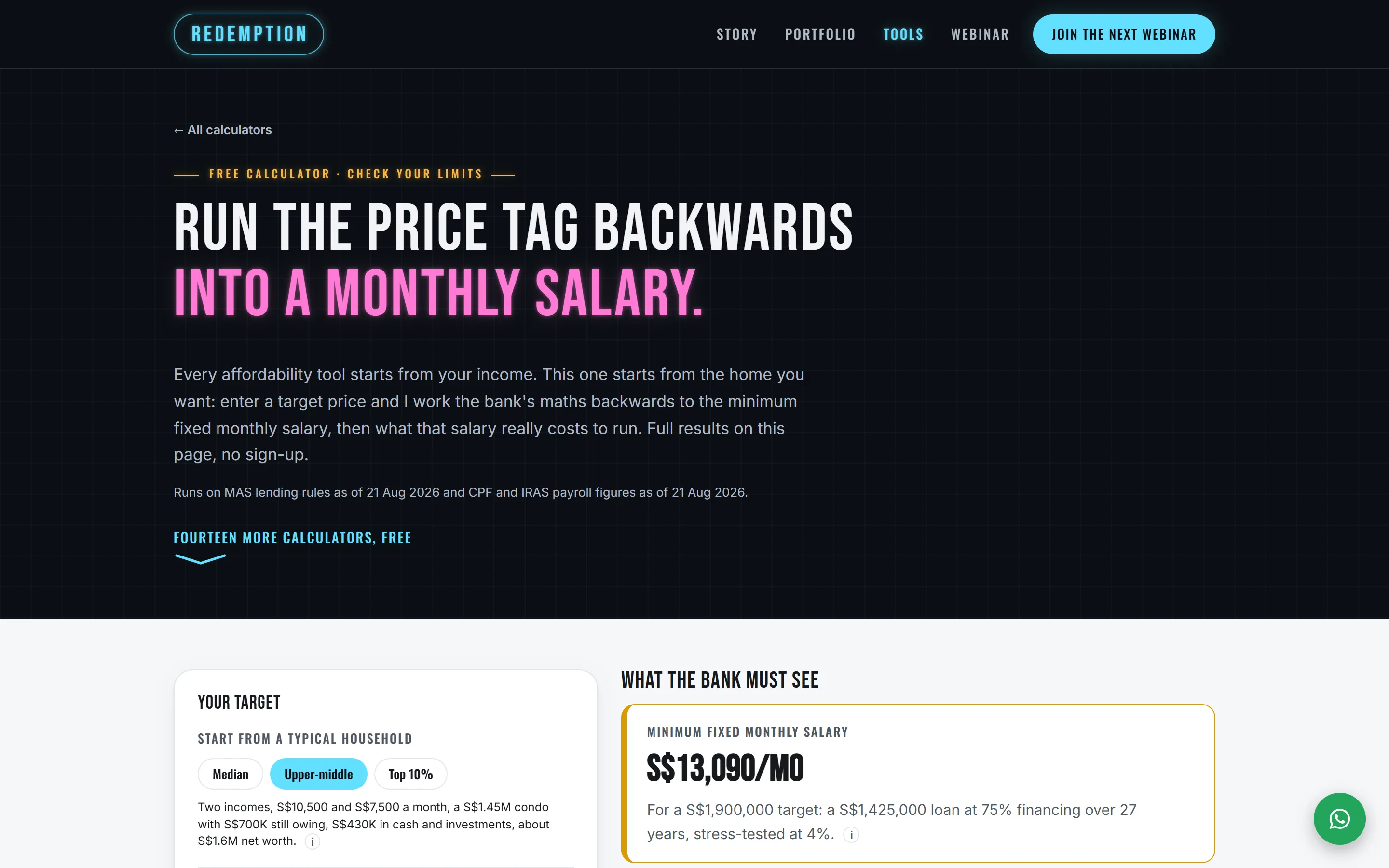
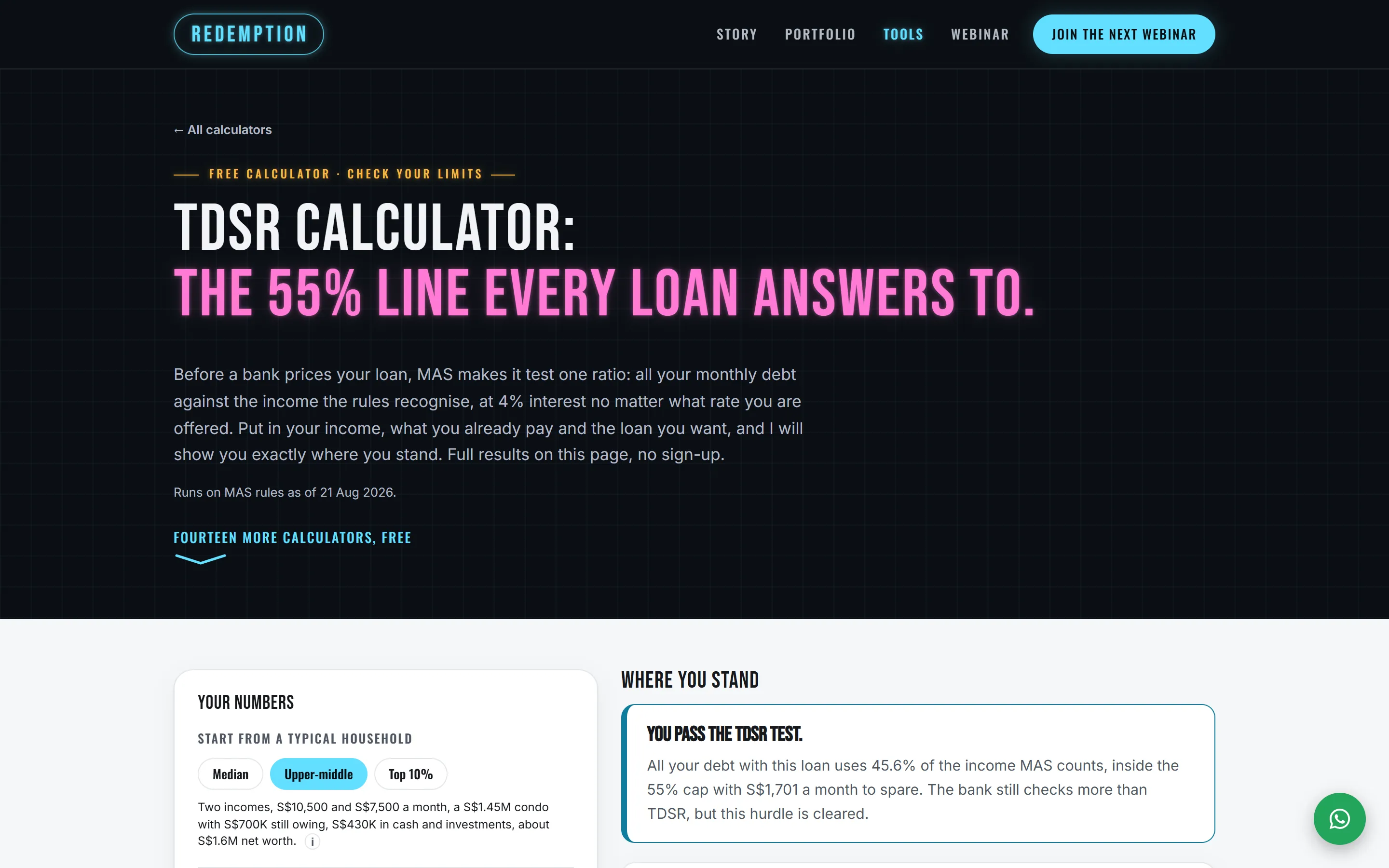
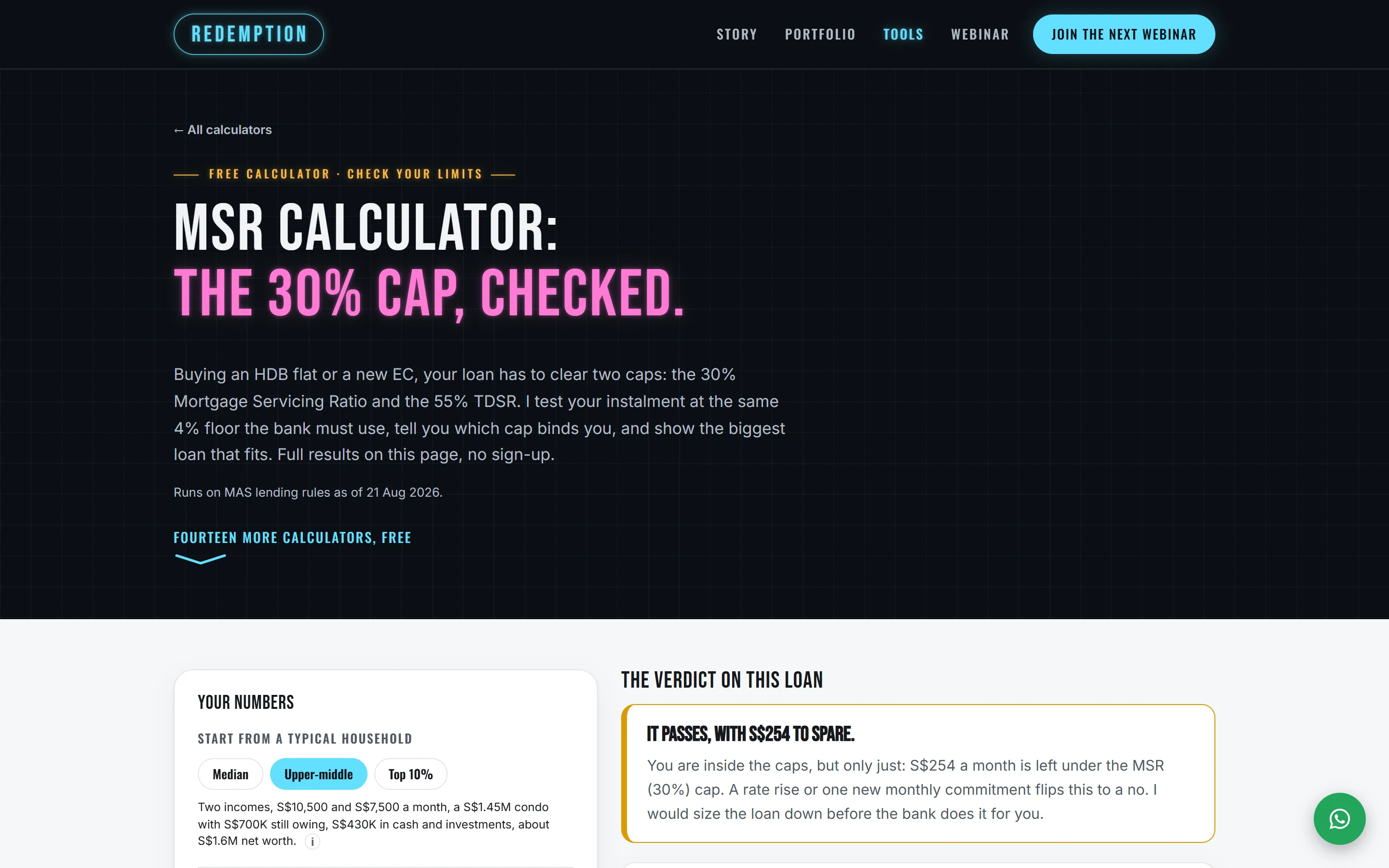
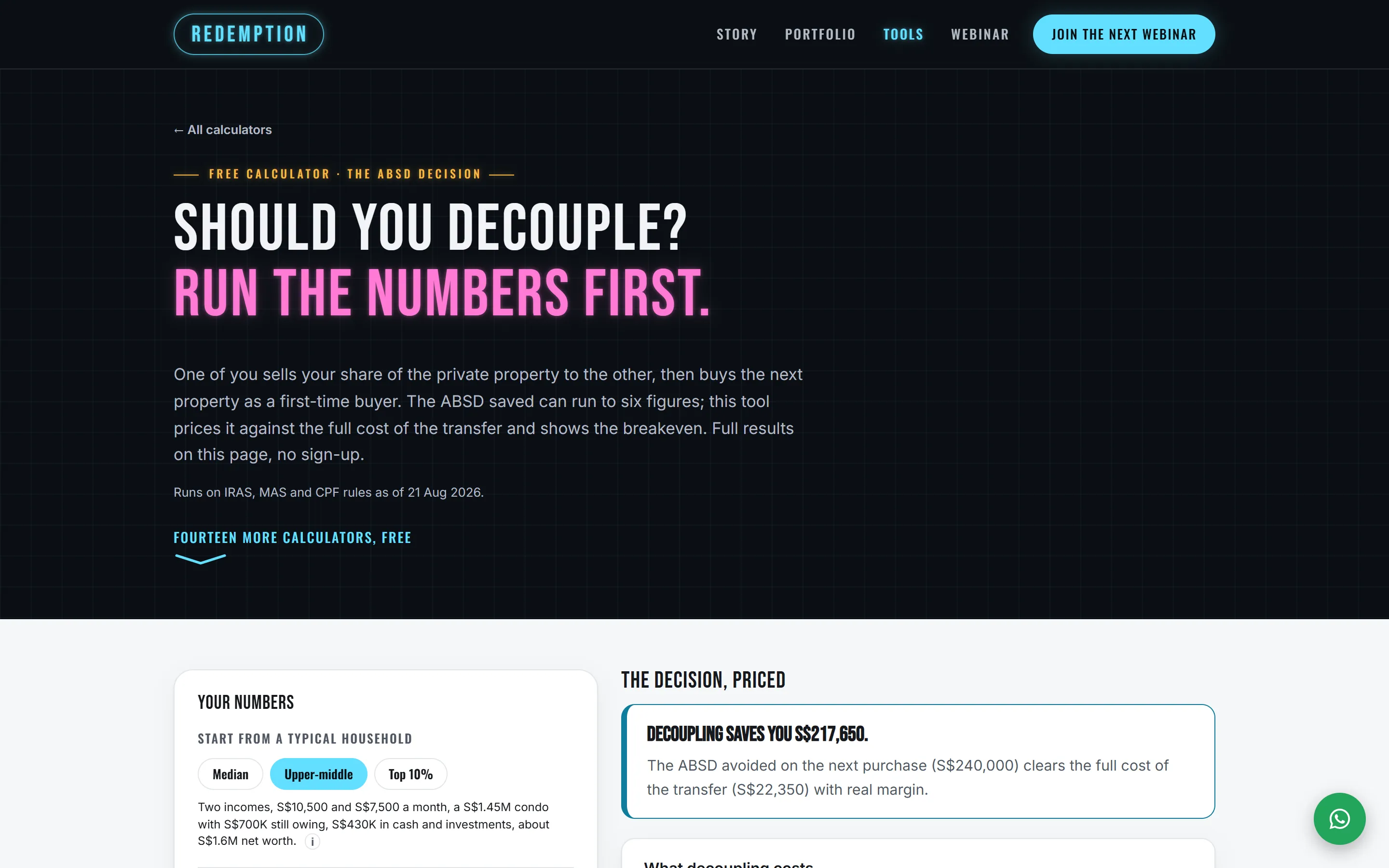
Every calculator's opening screen, in the order the site groups them. Fifteen pages on one engine, so no two of them can disagree about the same rule, and each runs the full calculation on the page. The index is public at redemption.sg/tools.
§ 02
The September push, scored
A week of REDEMPTION's ads for a webinar, scored in Campaign Manager: who reached the page, who signed up, and what each signup cost. The same scorecard holds the plan for the next push, and the signup rate it has to reach before any more is spent.
- 1,922
- people reached the page
- 6
- people signed up for the webinar
- S$175.62
- for each signup, if every signup came from the ads
From the Campaign Manager scorecard of REDEMPTION's September push: a week of ads for a webinar, 11 to 17 September 2026. Checked 26 September 2026.
§ 03
The same engine, under a second name
Seven of the calculators run on his team's own site. Same engine, same rules, different branding.
live
JNA Investments jnainvestments.sg
Seven of the calculators, on the same engine, under a second name. JNA Investments describes itself there as a team under JNA Real Estate. What changed between the two sites is the branding. The arithmetic did not.
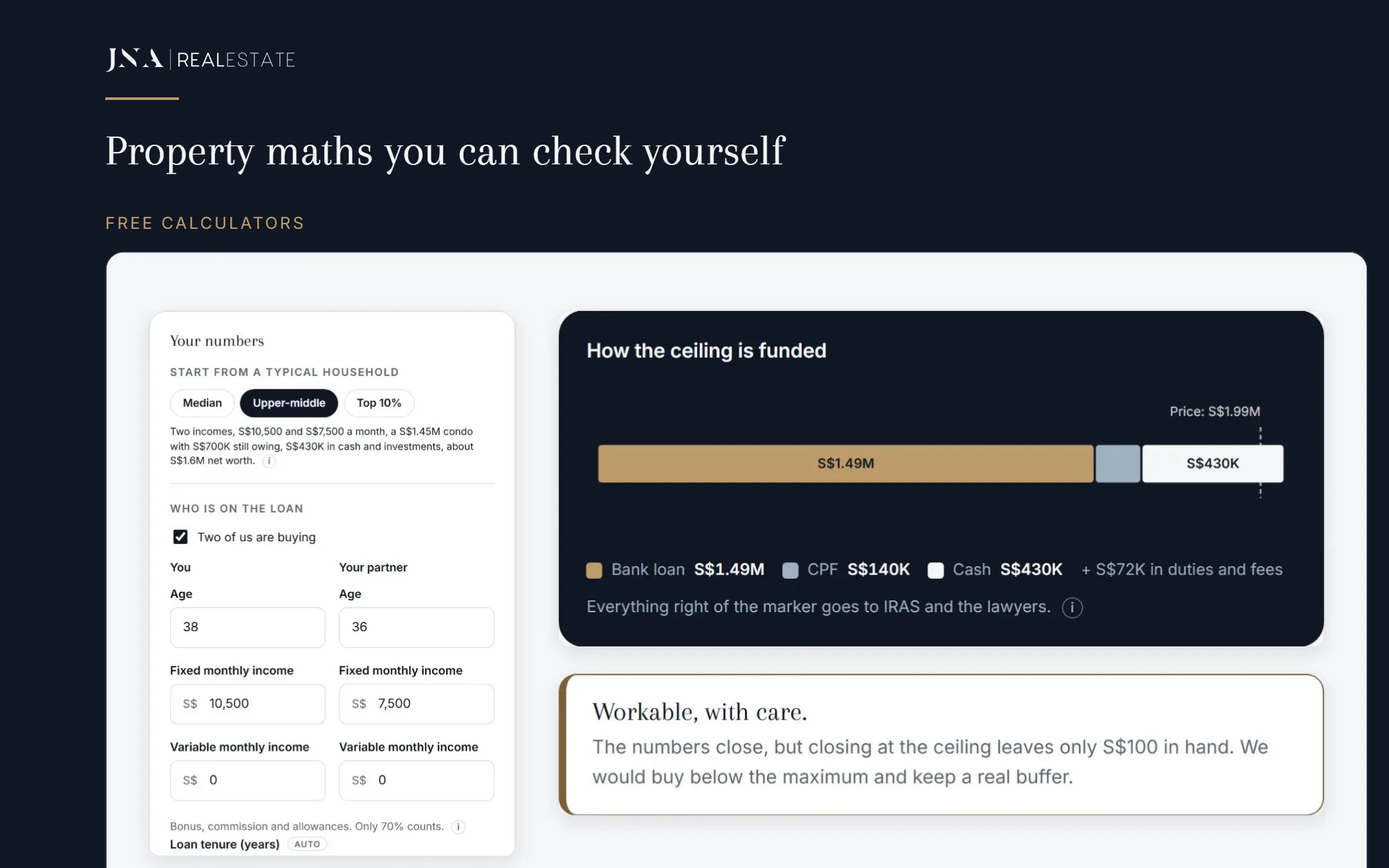
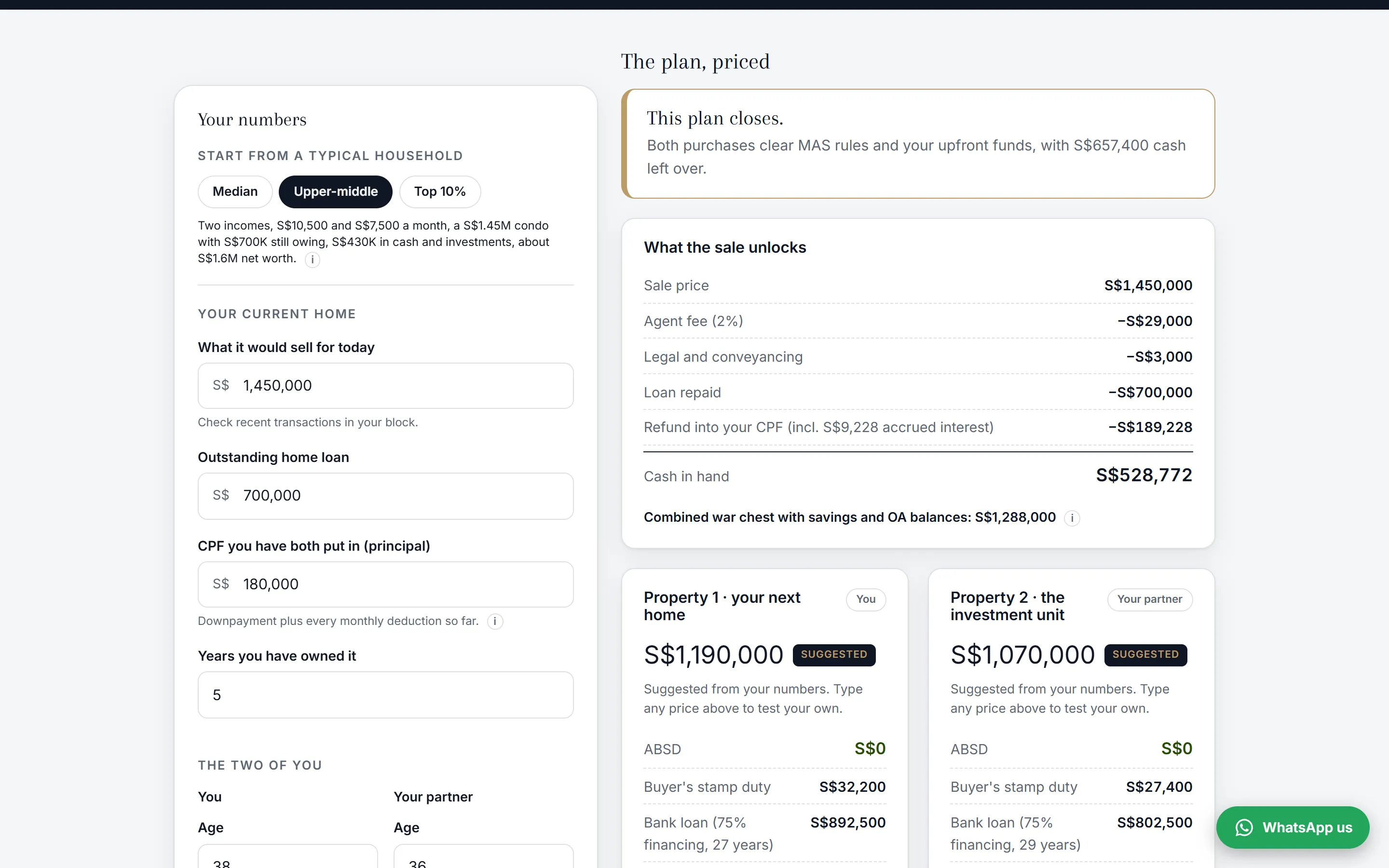
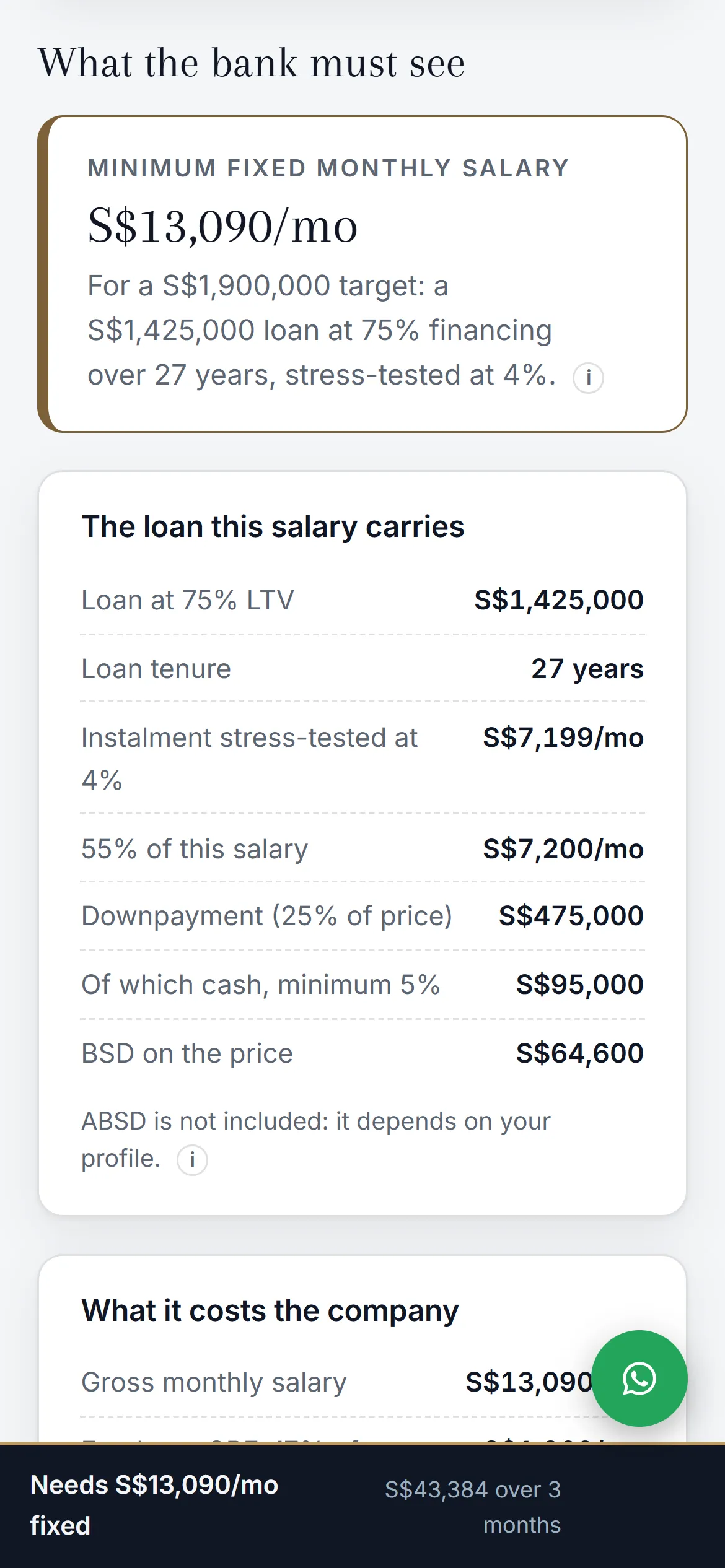
Fig. 5 · A second name
Seven of the calculators, in a second brand, at jnainvestments.sg. JNA Investments describes itself there as a team under JNA Real Estate. The engine and the rules are the ones above. What changed between the two sites is the branding. The arithmetic did not.
§ 04
Run your agency on kaysera.
The kaysera Portal is sold to licensed Singapore agencies and the teams inside them. Tell us about your agency and how your leads arrive today.
Request access Existing partner? Log in
- Web
- kaysera.io
- hello@kaysera.io
- Entity
- Kaysera LLP · Singapore